
Verify Operating System
Verifying the operating system you download is important to protect you from malicious actors. The steps below confirm the RoninOS image you download was produced by the developer you think produced it, and the contents of your image match the image produced by the developer.
The RoninDojo Master Administrator Key is always used to sign and verify RoninOS images.
Download Verification Files
Section titled “Download Verification Files”Download the following files from the RoninOS Downloads Page, check they match the type of computer want to use for RoninDojo, and make sure they are all in the same folder:
- RoninOS Image File —
(ending in .img.xz) - SHA256 Hash File —
(ending in .img.xz.sha256) - Verification File —
(ending in .img.xz.sha256.asc)
Method A: How To Verify Online
Section titled “Method A: How To Verify Online”-
Open the Keybase Verification page in your browser.
-
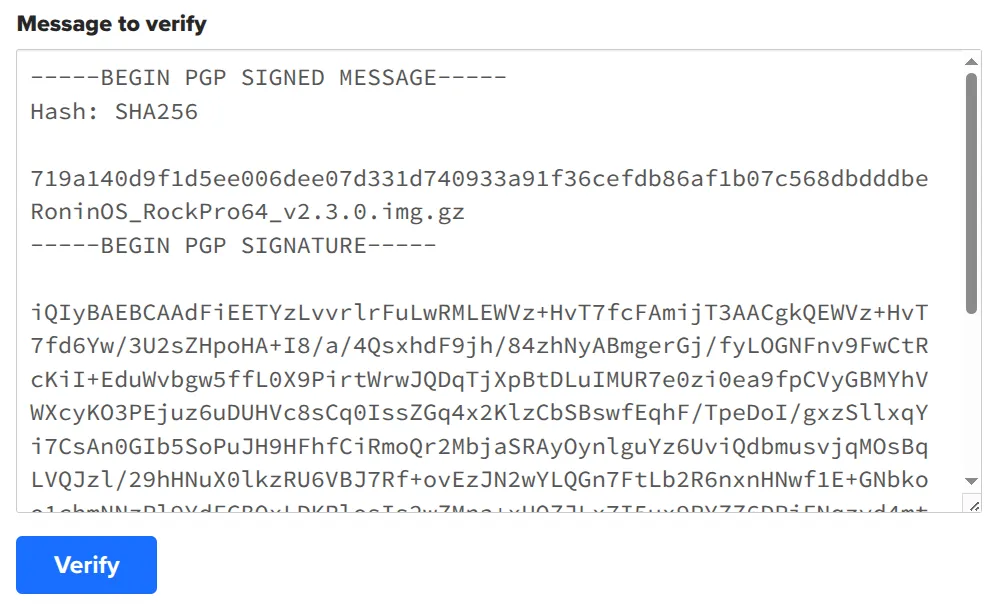
Copy the contents of the Verification File
(ending in .img.gz.sha256.asc)into Keybase and click theVerifybutton.Example Input:
Example Output:
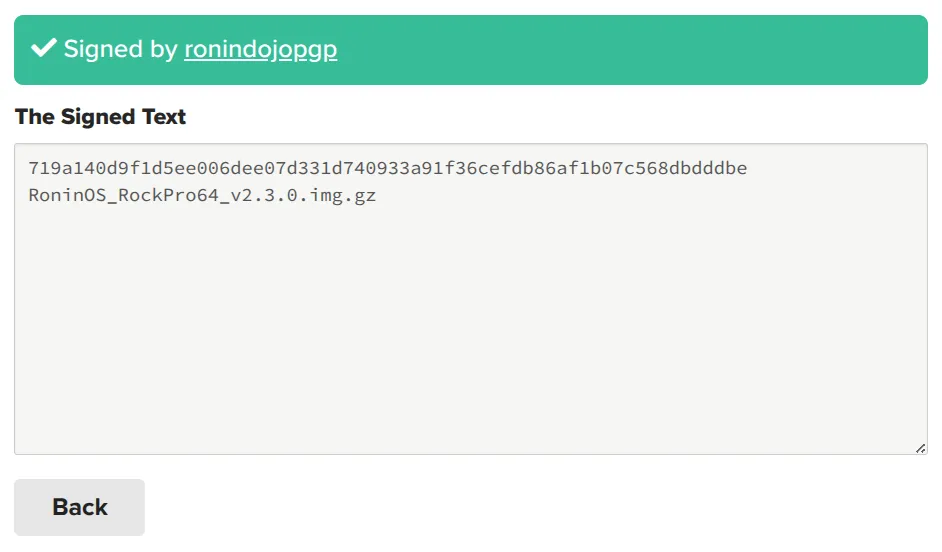
-
If the verification is succuessful, open the SHA256-Checksum Website and drop-in the RoninOS Image File
(ending in .img.gz). Make sure the output matches the output on Keybase.Example Output:
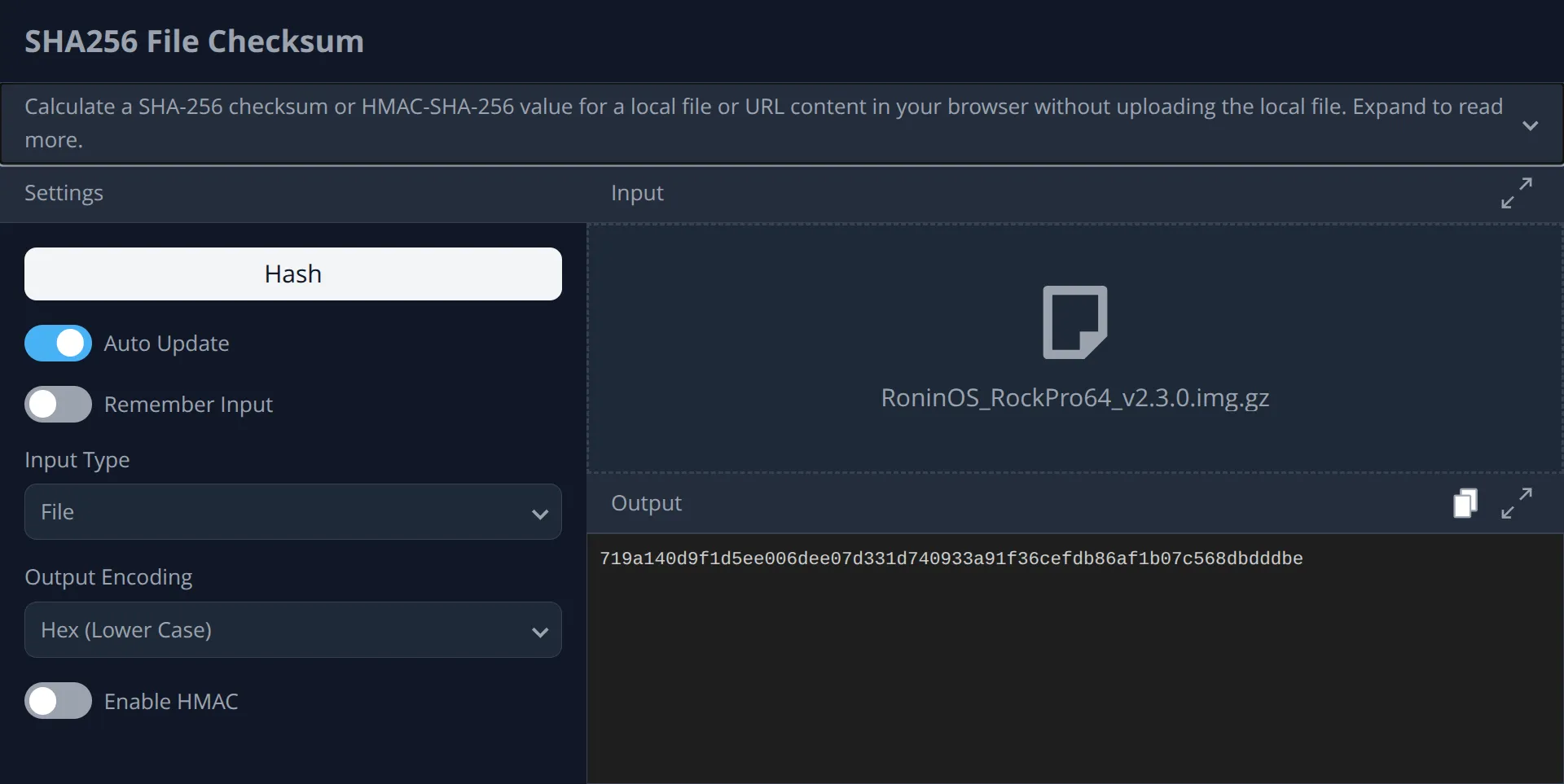
Example Successful Match ✅ 719a140d9f1d5ee006dee07d331d740933a91f36cefdb86af1b07c568dbdddbe # Keybase RoninOS_v3.0.0.img.gz719a140d9f1d5ee006dee07d331d740933a91f36cefdb86af1b07c568dbdddbe # SHA256 Checksum RoninOS_v3.0.0.img.gz -
If everything matches and there were no errors, then you have verified the operating system! You may proceed with your RoninDojo installation.
-
Have an error on Keybase or mismatch on SHA256 Checksum? Stop what you are doing and read below.


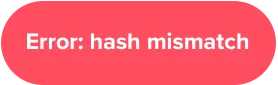
Example Failure Mismatch ❌ 719a140d9f1d5ee006dee07d331d740933a91f36cefdb86af1b07c568dbdddbe # Keybase RoninOS_v3.0.0.img.gz60fb14c7fc4dff4e3276d9b4188e71e2893f250afd1a200a8df3c8ed0f23431a # SHA256 Checksum RoninOS_v3.0.0.img.gz
Method B: How To Verify Locally
Section titled “Method B: How To Verify Locally”-
The SHA256 Hash File is signed using the RoninDojo Master Administrator Key. Open a terminal and run the following to obtain the key.
Terminal window gpg --refresh-keysgpg --auto-key-locate keyserver --locate-keys pgp@ronindojo.io -
If errors are present, edit your
gpg.conffile to configure GnuPG to usekeys.openpgp.orgas a keyserver.Terminal window keyserver hkps://keys.openpgp.org -
Verify the SHA256 Hash File is authentic using the Verification File. Amend the command to match the file name you downloaded.
Terminal window cd /$HOME/Downloadsgpg --verify RoninOS_v3.0.0.img.gz.sha256.ascExample Successful Signature ✅ gpg: Assuming signed data in 'RoninOS_v3.0.0.img.gz.sha256'gpg: Signature made Mon 16 Jan 2026 07:52:32 AM UTCgpg: Using RSA key 4D8CCBBEFAE5AC5B8BC1130B116573F87BD3EDF7gpg: Good signature from "RoninDojo Master Key <pgp@ronindojo.io>"Example Failure Signature ❌ gpg: Assuming signed data in 'RoninOS_v3.0.0.img.gz.sha256'gpg: Signature made Mon 16 Jan 2026 07:52:32 AM UTCgpg: Using RSA key 4D8CCBBEFAE5AC5B8BC1130B116573F87BD3EDF7gpg: BAD signature from "RoninDojo Master Key <pgp@ronindojo.io>" -
Calculate the SHA256 hash of the RoninOS Image File and compare it against the SHA256 Hash File. Amend the command to match the file names you downloaded.
Terminal window sha256sum RoninOS_v3.0.0.img.gzcat RoninOS_v3.0.0.img.gz.sha256Example Successful Match ✅ 719a140d9f1d5ee006dee07d331d740933a91f36cefdb86af1b07c568dbdddbe RoninOS_v3.0.0.img.gz719a140d9f1d5ee006dee07d331d740933a91f36cefdb86af1b07c568dbdddbe RoninOS_v3.0.0.img.gzExample Failure Mismatch ❌ 719a140d9f1d5ee006dee07d331d740933a91f36cefdb86af1b07c568dbdddbe RoninOS_v3.0.0.img.gz60fb14c7fc4dff4e3276d9b4188e71e2893f250afd1a200a8df3c8ed0f23431a RoninOS_v3.0.0.img.gz -
If the hashes match, you have successfully verified the RoninOS Image File has not been tampered with. You can now proceed safely, knowing the software you downloaded is an exact match to the one produced by the RoninDojo developer team.
-
Download GPG4Win, run the installer, then open the command prompt.
-
The SHA256 Hash File is signed using the RoninDojo Master Administrator Key. Run the following to obtain the key.
Terminal window gpg --refresh-keysgpg --auto-key-locate keyserver --locate-keys pgp@ronindojo.io -
Verify the SHA256 Hash File is authentic using the Verification File. Amend the command to match the file name you downloaded.
Terminal window cd C:\Users\%USERNAME%\Downloadsgpg --verify RoninOS_v3.0.0.img.gz.sha256.ascExample Successful Signature ✅ gpg: Assuming signed data in 'RoninOS_v3.0.0.img.gz.sha256'gpg: Signature made Mon 16 Jan 2026 07:52:32 AM UTCgpg: Using RSA key 4D8CCBBEFAE5AC5B8BC1130B116573F87BD3EDF7gpg: Good signature from "RoninDojo Master Key <pgp@ronindojo.io>"Example Failure Signature ❌ gpg: Assuming signed data in 'RoninOS_v3.0.0.img.gz.sha256'gpg: Signature made Mon 16 Jan 2026 07:52:32 AM UTCgpg: Using RSA key 4D8CCBBEFAE5AC5B8BC1130B116573F87BD3EDF7gpg: BAD signature from "RoninDojo Master Key <pgp@ronindojo.io>" -
Calculate the SHA256 hash of the RoninOS Image File and compare it against the SHA256 Hash File. Amend the command to match the file names you downloaded.
Terminal window certutil -hashfile RoninOS_3.0.0.img.gzcat RoninOS_v3.0.0.img.gz.sha256Example Successful Match ✅ 719a140d9f1d5ee006dee07d331d740933a91f36cefdb86af1b07c568dbdddbe RoninOS_v3.0.0.img.gz719a140d9f1d5ee006dee07d331d740933a91f36cefdb86af1b07c568dbdddbe RoninOS_v3.0.0.img.gzExample Failure Mismatch ❌ 719a140d9f1d5ee006dee07d331d740933a91f36cefdb86af1b07c568dbdddbe RoninOS_v3.0.0.img.gz60fb14c7fc4dff4e3276d9b4188e71e2893f250afd1a200a8df3c8ed0f23431a RoninOS_v3.0.0.img.gz -
If the hashes match, you have successfully verified the RoninOS Image File has not been tampered with. You can now proceed safely, knowing the software you downloaded is an exact match to the one produced by the RoninDojo developer team.